
Accounting that works the way your CFO thinks.
MYCFO brings accounts, banking, purchases, sales, inventory, payroll and projects & jobs together in one Windows desktop app — with 167 reports and a familiar desktop accounting workflow.
Clear books. Every branch, project and job.
For owners, accountants and finance teams who want serious accounting on their Windows desktop, without a steep learning curve.
One app for the whole back office
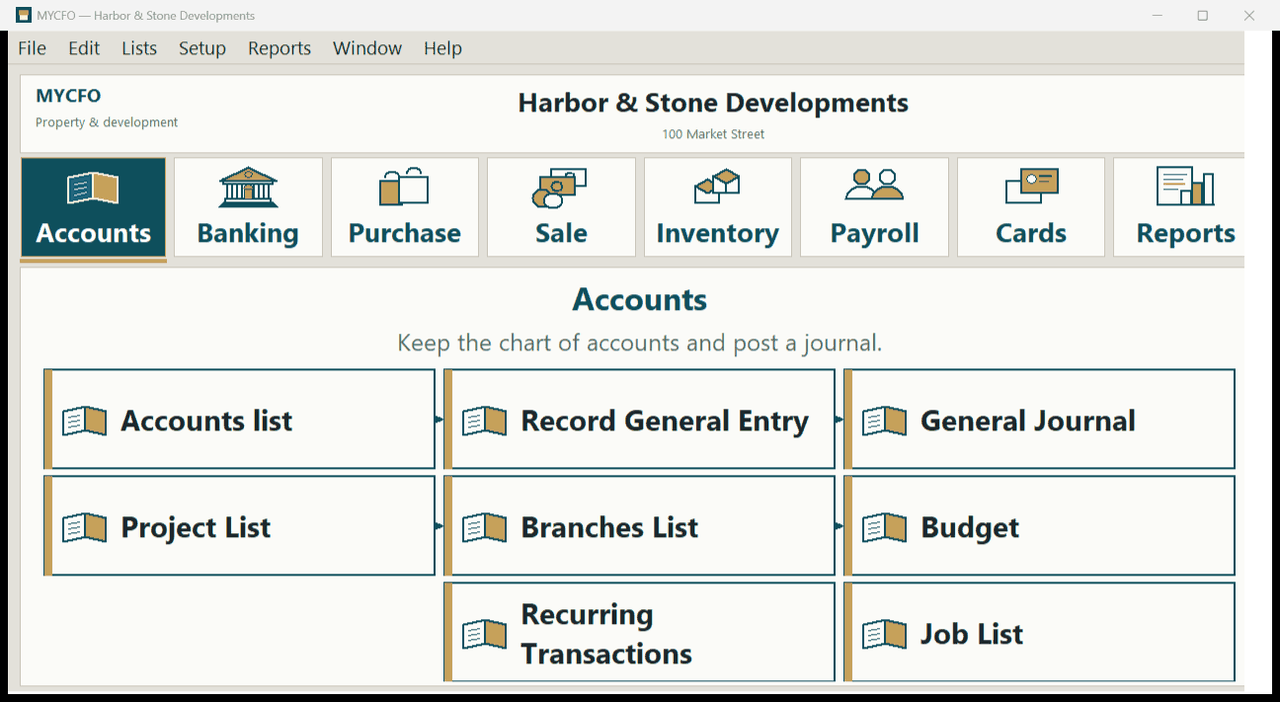
Accounts, banking, purchases, sales, inventory, payroll and cards, all in one place, with an Easy Setup Assistant to get started.
See results by branch, project and job
Tag every voucher line to a project and job, and every voucher to a branch. Then run Project Profit, Job Profit and P&L by Branch.
Paper trail built in
Attach photos, PDFs and scans to every voucher. Numbering is automatic (GRV#00001, BPV#00001), and you can print or send any voucher to Excel.
Everything you need to keep the books
Core modules available in MYCFO today.
Accounts
4-level chart of accounts, Record General Entry and General Journal, Recurring Transactions.
Banking
Bank Payment vouchers, Bank Receipt vouchers, Paid To / Received From.
Purchase
Purchase bills, Vendor payments.
Sale
Sales, Customer receipts.
Inventory
Item list, Stock received and stock consumed, Stock Register.
Payroll
Employees, Salary sheets.
Cards
Supplier, customer and employee cards, Personal cards.
Projects & Jobs
Projects, with jobs linked to projects, Project and job on every voucher line, Project budgets and opening balances.
Tax codes
Tax codes with rates, Tax calculated by code and rate on document lines, Does not prepare or file national tax returns.
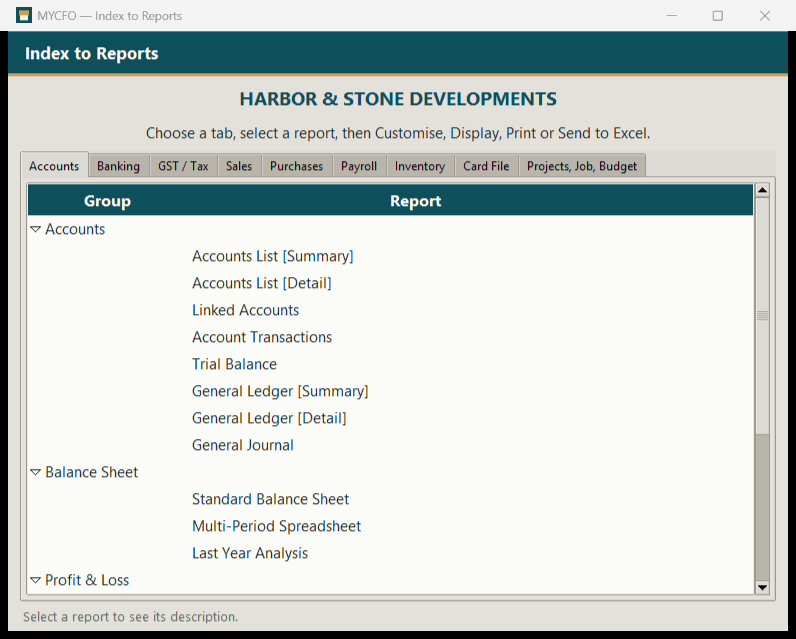
167 reports, organised in 9 tabs
Find any report in the Index to Reports, then customise, display, print or send it to Excel.
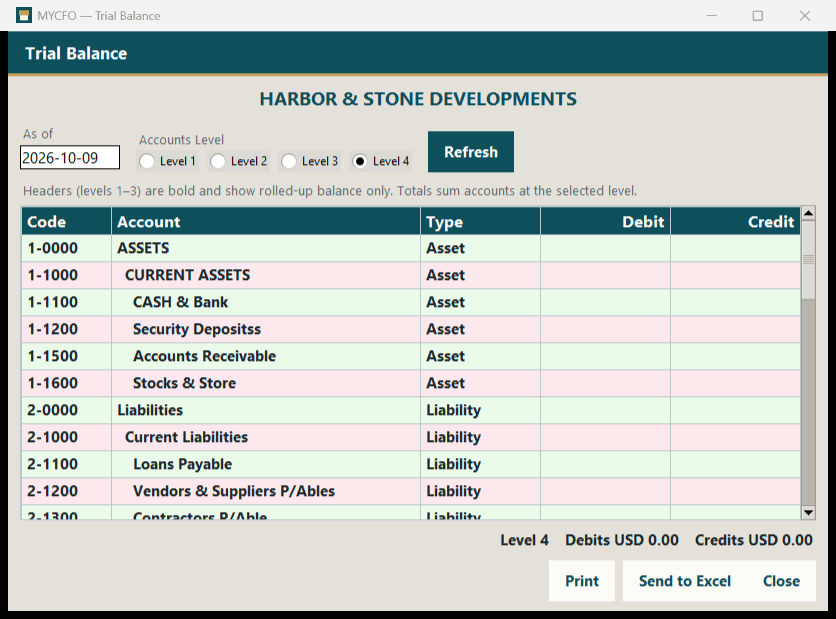
- Trial Balance and General Ledger with a Level 1–4 option
- Balance Sheet: standard, multi-period and vs last year
- Profit & Loss: accrual, multi-period, multi-period budget, budget analysis (difference and %), percent of sales, vs last year
- Statement of Cash Flow
- Ageing of receivables and payables
Built for your industry
MYCFO for Builders & Contractors is available now. More industry editions are coming soon, and every edition is built on the same MYCFO core.
Builders & Contractors
Track every project and job, from the first purchase to the final profit.
Explore edition →Housing
Accounting for housing schemes and real estate developments.
See plans & join waitlist →Sale on Installment
Accounting for businesses that sell on installment.
See plans & join waitlist →Travel Agents
Accounting for travel agencies and tour operators.
See plans & join waitlist →Importers & Exporters
Accounting for cross-border trade.
See plans & join waitlist → Your industryDon't see your industry?
More editions are on the way. Tell us about your business and we'll tell you how MYCFO can fit.
Contact us →Up and running in three steps
- Create your companyStart with the Easy Setup Assistant and choose your home currency. Then set linked accounts and preferences, and enter opening balances.
- Record your vouchersBank payments and receipts, purchase bills, sales, journals and salary sheets. Each one is numbered automatically and can be tagged by branch, project and job, with documents attached.
- Review your reportsRun the Trial Balance at level 1–4, the Balance Sheet, P&L, Cash Flow or a whole Report Batch at month-end.
Want to see MYCFO in action?
MYCFO is in early access. Request a demo or get early access — prices will be in USD, and customers worldwide are welcome.